
If you are running PowerSyncPro Server in WORKGROUP or will install PowerSyncPro under a local account or you just want to run the PowerSyncPro Service using a local account then you will need to add that account to SQL and make it DBOwner of the 'PowerSyncProDB' database, or may even want to make it a SQL SA.
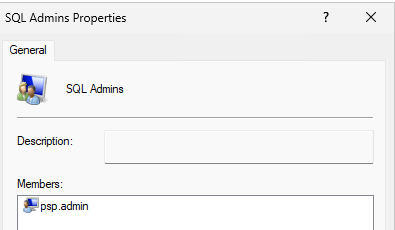
If you create a local account called psp.admin and a local group called SQL Admins and nest psp.admin then you can execute the following:
You can do this by using SQL PowerShell similar to the following:
Add local group to SQL Logins
Invoke-Sqlcmd -ServerInstance 'localhost\SQLEXPRESS' -Query "CREATE LOGIN [PSPSVR01\SQL Admins] FROM WINDOWS;"
Add local user to SQL logins
Invoke-Sqlcmd -ServerInstance 'localhost\SQLEXPRESS' -Query "CREATE LOGIN [PSPSVR01\psp.admin] FROM WINDOWS;"
Add Group to SysAdmin SQL Role
Invoke-Sqlcmd -ServerInstance 'localhost\SQLEXPRESS' -Query "ALTER SERVER ROLE [sysadmin] ADD MEMBER [PSPSVR01\SQL Admins];"
Add User to SysAdmin SQL Role
Invoke-Sqlcmd -ServerInstance 'localhost\SQLEXPRESS' -Query "ALTER SERVER ROLE [sysadmin] ADD MEMBER [PSPSVR01\psp.admin];"
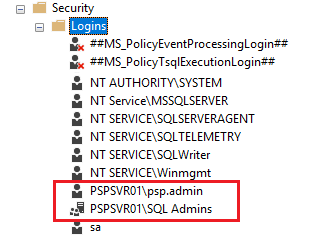
Now you can make psp.admin the DBOwner of PowerSyncProDB and have that account run the local service.
