
Recently at a client we saw this error when the workstation was trying to register.
(TLDR: invalid Pre Shared Key “PSK”)
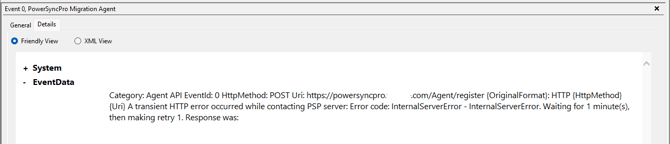
Category: Agent API
EventId: 0
HttpMethod: POST
Uri: https://powersyncpro.contoso.com/Agent/register
{OriginalFormat}: HTTP {HttpMethod} {Uri}

A transient HTTP error occurred while contacting PSP server: Error code: InternalServerError - InternalServerError. Waiting for 1 minute(s), then making retry 1. Response was:
Followed by:
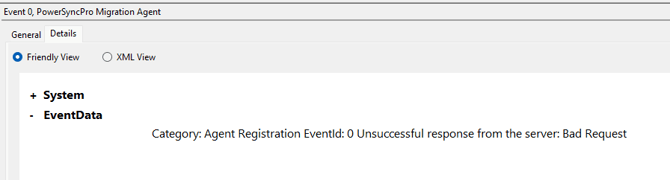
Category: Agent Registration EventId: 0 Unsuccessful response from the server: Bad Request

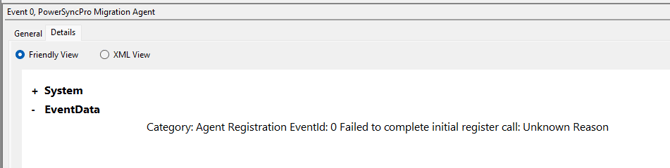
Category: Agent Registration EventId: 0 Failed to complete initial register call: Unknown Reason
What had happened was that the Pre Shared Key that was generated started with the letter i
iYZWy48KQzUsNwHGcgtOYKM9iSRcQzbdPZDp47ZRW/Gajm4RMBYIYycIIFRlpswp
But when it was emailed to the engineer to update the Intune deployment package, Outlook converted the first character upper case.
IYZWy48KQzUsNwHGcgtOYKM9iSRcQzbdPZDp47ZRW/Gajm4RMBYIYycIIFRlpswp
As another note to check for errors, the full Command line arguments for the Intune App Deployment was also missing a starting double quote around the URL as well as the wrong case for the first letter.
PSK="IYZWy48KQzUsNwHGcgtOYKM9iSRcQzbdPZDp47ZRW/Gajm4RMBYIYycIIFRlpswp" URL=https://powersyncpro.contoso.com/Agent" /L*v c:\pspinstall.log
The correct whole command line argument should have been:
PSK="iYZWy48KQzUsNwHGcgtOYKM9iSRcQzbdPZDp47ZRW/Gajm4RMBYIYycIIFRlpswp" URL="https://powersyncpro.contoso.com/Agent" /L*v c:\pspinstall.log