
If you see a message like this:
Warning
- Bulk Enrollment Token for directory M365 Fabrikam is about to expire
- Bulk Enrollment Token for directory M365 Contoso is about to expire
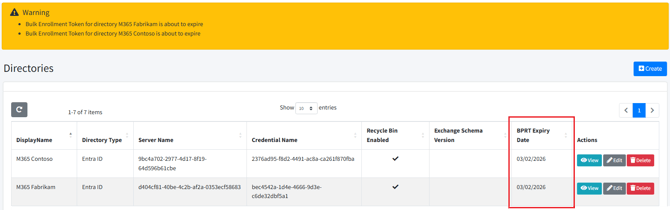
Then you need to go to your Directory configuration and open in “Edit mode”
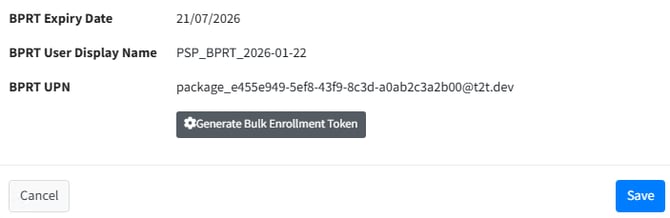
At the bottom of this dialog screen you will see the option to “Generate Bulk Enrollment Token” Make a note of the current BPRT name so that you can delete it afterwards from Entra.
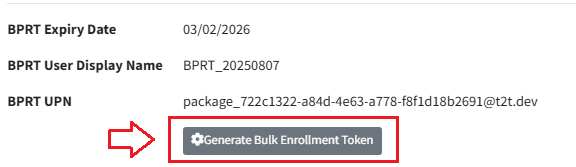
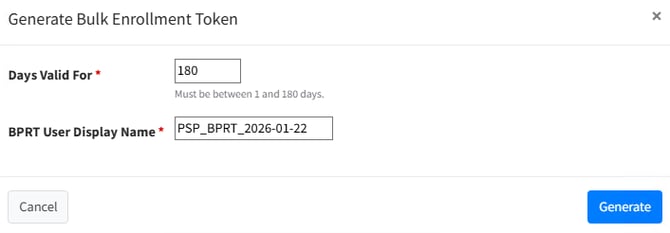
Click the button and follow the prompts
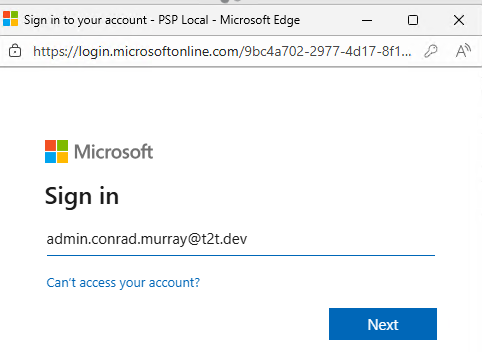
Authenticate with an appropriate Admin privilege account
Save your updated Directory Configuration
then RESTART the PowerSyncPro Windows Service and your waring will have gone away.
Head to Entra and delete the expired BPRT.