
PowerSyncPro has the ability to restore deleted objects from the target AD Recycle Bin if they were ever created or matched by PowerSyncPro. They might have been deleted manually in the target by accident, or got marked out of scope in the source through a config change, or the objects themselves were moved to an out of scope OU, or had an attribute changed that was being used for scoping.
For PowerSyncPro to be able to re-animate objects from the AD Recycle Bin, it needs the appropriate permissions configured.
Enable rights over the AD Recycle Bin
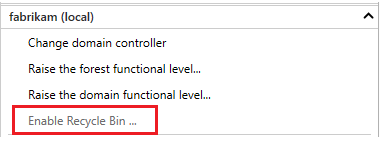
Step 1 - Enable the AD Recycle Bin for your Forest if it is not already enabled.
PowerShell:
Enable-ADOptionalFeature 'Recycle Bin Feature' -Scope ForestOrConfigurationSet -Target [your forest]
Active Directory Administrative Center\Tasks
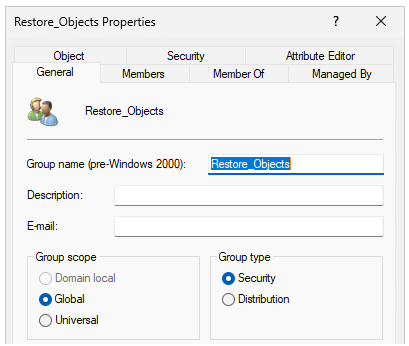
Step 2 - Create a Global Security Group e.g. "Restore_Objects"
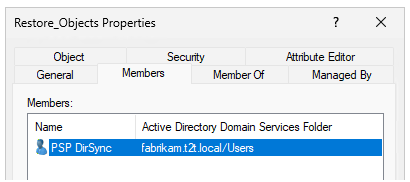
Step 3 - Add the PSP Service Account to this Group
Step 4 - At an elevated command prompt, with a Domain Admin account, run the following commands.
(Replace “Restore_Objects” with the group name you created and replace "dc=yourdomain,dc=local" with your actual Active Directory Domain)
dsacls "dc=yourdomain,dc=local" /g "Restore_Objects:ca;Reanimate Tombstones"
dsacls "CN=Deleted Objects,dc=yourdomain,dc=local" /takeownership
dsacls "CN=Deleted Objects,dc=yourdomain,dc=local" /g "Restore_Objects:LCRP"
dsacls "dc=yourdomain,dc=local" /I:T /g "Restore_Objects:WPCC"